Home Of The Bewitched And Elizabeth Montgomery
Live Web Chat!
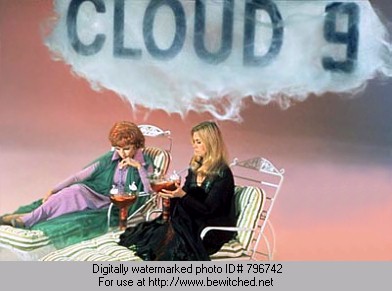
Meet other fans here each evening from 10 P.M. EST (USA) till??
(The chat room is always available though, so grab a drink and pop in any time!)
Meet other fans here each evening from 10 P.M. EST (USA) till??
(The chat room is always available though, so grab a drink and pop in any time!)
Welcome to Wendy & Joe's Cloud 9 real-time chat room at The Bewitched And Elizabeth Montgomery Web Site! We hope you will find our chat room easy to use because it is not IRC, does not require Java, frames, or any other plugins or special software. Also, no formal registration is required. All you need is your regular web browser!
We have set a time of 10 PM EST as the Bewitched chat hour, so that you will be more likely to run into someone to talk with. On off-hours if you enter and find nobody is chatting, post a message in the main Cloud 9 room saying that you are there and that you are waiting for someone to chat with (if you have some time to kill, that is), then wait until someone enters. If you don't do this, it is very easy for people to pop in for a second, see nobody chatting, and move on. Unfortunately, if everyone does this, there is little chance of meeting anyone to talk with because nobody is there for more than a second. If you do not post anything in the chat room while waiting for someone else to enter (or any other time), you will be automatically logged off after 10 minutes. To keep this from happening, just post your "waiting" message again before 10 minutes is up. If you are logged off, you may sign in as the same person by using the same password and name as when you first entered. Also, old conversations are cleared away after 1 hour of total inactivity in any of the rooms. A pull-down menu is used to show you the names of the people who are currently chatting so you will always know who is chatting in the various rooms (accurate to within 10 minutes).
Cloud 9 has "THEME" rooms as well as "PRIVATE" rooms! The default room you will automatically land in is titled "Cloud 9". You may then choose a public theme room by clicking the pull down menu which reads "Public Rooms". Choose the room you want, then click "Go There". You can see who is in this room after you are in it by using the pull down menu - this list is accurate to within 10 minutes, which means someone could still be on the list who has left the room less than 10 minutes ago. When you first log on and are popped into the default "Cloud 9" room, you can check to see who's in the room as well - if no one is there, go and check the theme rooms separately (if it looks like there is no chat in the main room, it could be that people are chatting in the theme rooms or private rooms). If you see "Mary has left the room" it could be that she has totally left the chat OR that she has signed into one of the theme or private rooms. Again, you would check the theme rooms to see if she is now on the list in one of them. Private rooms are only accessable if you know the name of the room.
Please limit your conversations to the theme of your chosen room and remember that none of the rooms on our web site are available for non-Bewitched chatting. To create a private room so you and a friend(s) can chat without anyone in the public rooms seeing the conversation, just make up a name for the room (names are case sensitive) type it into the box (make sure your friends know the exact name as well) then click the "Go There" button.
We want to keep this a happy and fun place to visit, so keep it clean and have fun!
SIGNING IN
1. NAME: Enter your name or nickname to chat. This is the name which will appear next to everything you say.
NOTE:
We ask that you refrain from signing in as "Webmaster" "Wendy" or "Joe" as this could be construed as people chatting as us (the people who run this web site). Furthermore, we, Joe and Wendy ("Webmaster") will not ever be signed onto the public chat rooms under these names, unless we have designated a specific day and time to have a special chat where we will be present, chatting under these names. This would ALWAYS be announced on the main page of our site ahead of time. Therefore, if you see someone using the names Webmaster, Joe or Wendy in the public chat rooms, IT IS NOT US, and none of the conversation you see will be from us - it will be the conversation of someone who chose to sign on using these names. Also, impersonating cast or family members will not be tolerated. Anyone who thinks that there is someone chatting who might be trying to impersonate cast or family members, please e-mail us immediately with the details including the time they were on.
2. PASSWORD: Enter any password you like (really!) It is important to remember your password for a given chat session in case you crash or exit the room without hitting the "Leave" button - this will ensure that you can re-enter the chat room immediately using the same name. When leaving the chat, remember to hit the "Leave" button, as this will also post a message stating your name and telling people that you have left the room. This serves as a polite way of letting you leave the conversation. Passwords are also used to insure that "one to one" messages are not read by other people within the chat room.
3. E-MAIL: Entering your e-mail address is optional, but allows others to easily e-mail you from within the chat.
IMPORTANT NOTES:
DO NOT hit the RELOAD BUTTON on your browser (AOL especially!) This will cause your name and the time you entered the chat room to be repeatedly posted each time you want to refresh, which will show up on everyone else's screen as well crowding out all other messages. Instead, use the "See New Posts" button from within the chat room to refresh/reload the page - about every 20 seconds works well.
If you encounter any technical difficulties OR you just think the workings of the program don't make sense in some way, please e-mail us with the details, as we are beta testing it and want to fix anything that may not be working properly.
Have fun chatting with other Bewitched friends!
Back To The Bewitched and Elizabeth Montgomery Site
Fly Over To The Discussion Board (registered users)
Register for our Bewitched Discussion Board (new users)